Saturday, September 29, 2018

Digital Video Cameras in School


Image result for digital video camera canon

Why bother with a digital video camera when you can easily record video with smart phones, iPads, and tablets? Students should have learning experiences with a variety of technology, from high-tech to low-tech. Video cameras may have been more popular before we had wide access to smart devices, but they are not "a thing of the past." Digital video cameras still have a role in teaching and learning in the K-12 environment. 


The R.A.T. model, created by Dr. Joan Hughes, can be applied when assessing the use of technology in education. The R.A.T. model "leads you to understand if digital technology is functioning as replacement, amplification, or transformation in educational practice" (Hughes, 2018). 
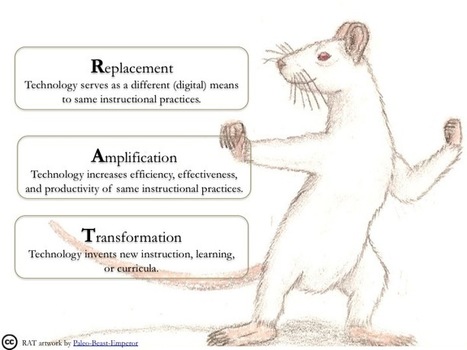
Image result for r.a.t. technology model replacement amplification transformation


Replacement: same learning outcome with a different format

Amplification: learning task remains the same, but the technology increases the effectiveness and efficiency

Transformation: new learning outcomes are achieved


There are many learning activities to engage in with a digital video camera. Using the camera as a "replacement" to a traditional activity might include student presentations. Rather than have a student present a paper or project in from of the class, students may record themselves with the camera and play the recording for the class. 

Using the digital video camera as "amplification" means the use of the camera somehow enhances or increases the efficiency, effectiveness, and productivity of the activity. If a student is able to view a recording of themselves giving a presentation or reading aloud, he or she may be able to self-evaluate their performance and create a plan for improvement. Another example of using a digital video camera to amplify practices would be to stream live video. Students at my school use a digital video camera to stream the school news live for everyone within the school building to view. Knowing they are streaming live, the students work hard to plan, prepare, and practice their news presentations. 

Digital video cameras could also be used a "transformation" by being able to reach wider audiences. Students could record filed trips, interviews, or other special learning activities and share them with others who were not able to be present for that particular learning event. There may also be opportunities to use a time-lapse option on the camera so students can view the effects of the passage of time for science projects, such as a caterpillar forming a chrysalis and emerging as a butterfly. Another possibility would be for students to film the actual process of a particular project. They could go back to view the process and provide feedback for their teammates and learn from their experiences. 

There are many other ways in which educators can incorporate the use of digital video cameras in teaching and learning in the K-12 environment. Here are two helpful links to get you started:

Using Digital Video in Teaching and Learning
This informative four page document discusses the hardware and software equipment needed to get started with digital video cameras in an educational setting. The process of filming, editing, and other techniques are explained, as well ideas for digital video camera use in the school setting. 

10 Uses for Digital Cameras in the Classroom
Scholastic posted this blog by Meghan Everette explained ten creative uses for videos cameras in the classroom, from digital assessments to yearbooks gone digital. 


Resources:

Hughes, J. (2018). R.A. T. Model. Retrieved from http://techedges.org/r-a-t-model/

Everette, M. (2015, Feb. 2). 10 uses for digital cameras in the classroom. Retrieved from https://www.scholastic.com/teachers/blog-posts/meghan-everette/10-uses-digital-cameras-classroom/

Using digital video in teaching and learning. (2004). Retrieved from http://www.mmiweb.org.uk/publications/ict/UsingDigitalVideo.pdf

Thursday, September 13, 2018

Student Voice with Flipgrid

Image result for flipgrid
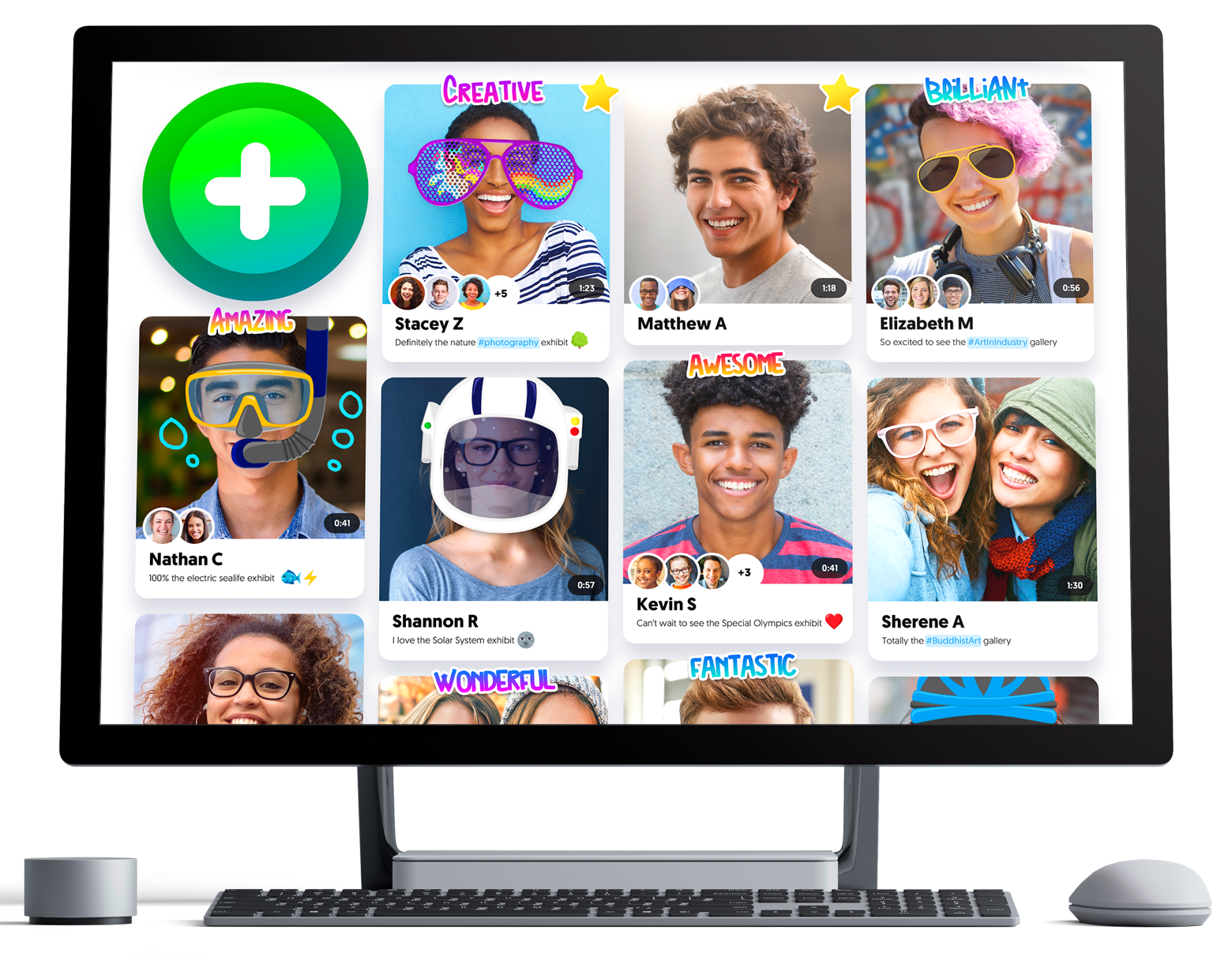
I have recently discovered a technology tool called Flipgrid that seems so simple but is packed with possibilities for empowering students and helping them share their voices and connect with their peers. I played around a bit with Flipgrid at a recent professional development and could immediately tell this was a fantastic tool to use with students in the library. I found that other school librarians are talking about this tool on their blogs, like Nikki D. Robertson on her blog The Incredibly True Adventures of a School Librarian. Her post titled My Top 10 Go To Techs of 2017 include ideas on how to use Flipgrid in the library. 

Image result for flipgrid
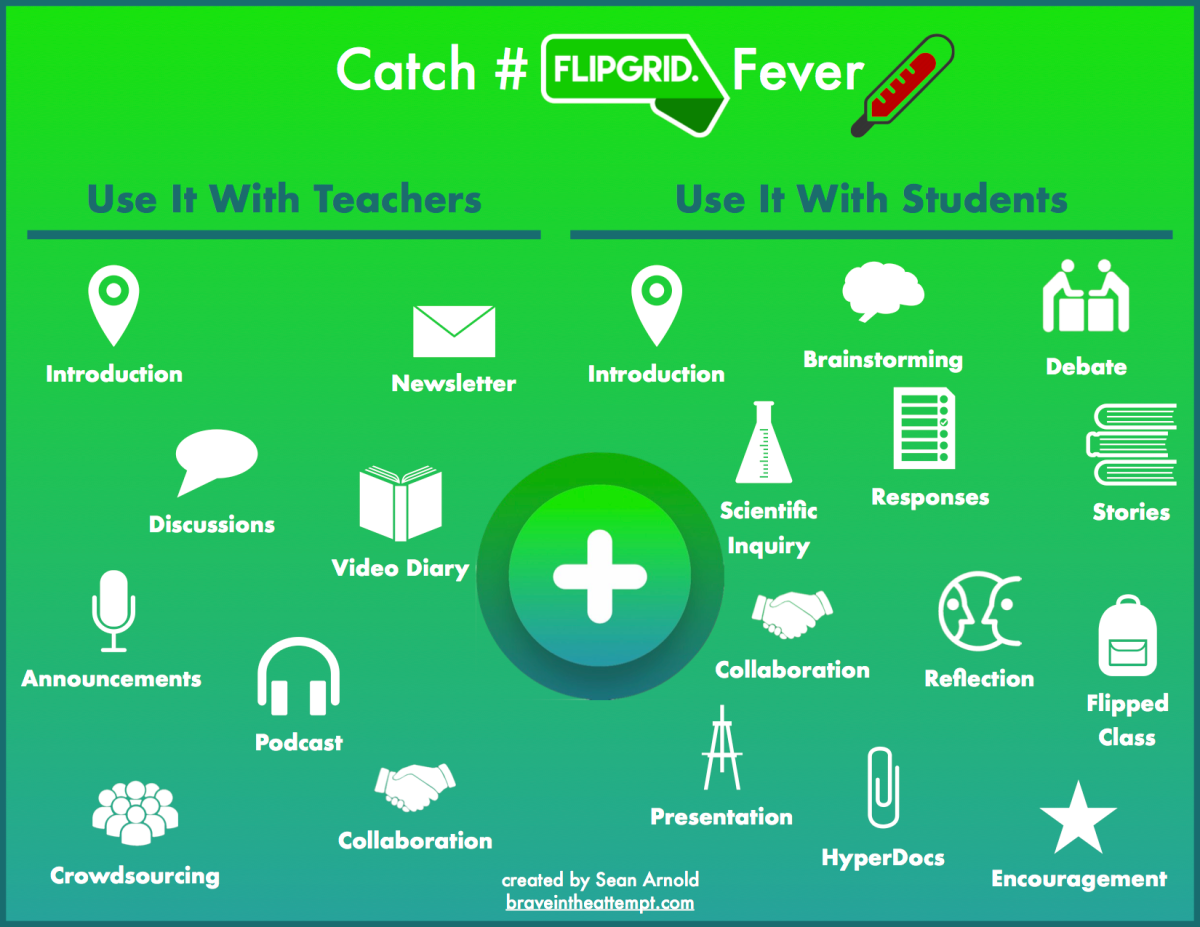
The possibilities seem limitless! Just a few things students can do with Flipgrid videos: beginning of the year introductions, book reviews and recommendations, posing Q&A on topics of interest, sharing ideas and opinions on basically anything, brief presentations on things they've learned or discovered lately, and the list goes on. Students can view each other's videos and comment, while the teacher/school 
librarian controls access for safe sharing. 


Image result for flipgrid

Educators can team up with GridPals to offer students opportunities to collaborate with their peers across the globe! Flipgrid seems to offer incredible opportunities for building 21st Century Skills with students and empowering them to use their voices. 


In all the excitement of introducing a new technology tool, concept, or approach in a school setting, it is important to remember that it is not the technology itself that can make the difference, it is the "people who plan with, teach with, and learn with the technology" (Overbay, Mollette, & Vasu, 2011, p. 56). Even though incorporating Flipgrid in the school library may seem like a simple (yet fantastic) approach, I still plan on building the enthusiasm with teachers first. Sharing this tool with teachers, working with them collaboratively, and finding ways to effectively incorporating it in students' learning would come before trying to use this tool on my own. 


Image result for flipgrid


Resources:

Flipgrid (2018). Where social learning happens. Retrieved from https://info.flipgrid.com/

McClelland, B. (n.d.). Bonnie's #gridpals adventure passport [Google Slides]. Retrieved from https://docs.google.com/presentation/d/1A0CREsAzXsb1PMrnwge9DwWsDCLxACqnQ5B2uqtF-zc/edit#slide=id.g3dbc79633e_0_190

Overbay, A., Mollette, M., & Vasu, E. S. (2011). A technology plan that works. Educational Leadership 68(5), 56-59. 

P21 (2016). Framework for 21st century skills [PDF document]. Retrieved from http://www.p21.org/storage/documents/docs/P21_framework_0816.pdf

Robertson, N. D. (2018, January 1). My top 10 go to techs of 2017. Retrieved from http://www.nikkidrobertson.com/search?q=green+screen&updated-max=2017-10-15T15:22:00-04:00&max-results=20&start=1&by-date=false


Saturday, September 8, 2018

Information Diet & Media Literacy

Students today are faced with enormous challenges when it comes to sorting out credible facts and sources. It is the responsibility of parents, educators, and librarians to set students up for success by teaching and modeling information and media literacy skills. 


The Partnership for 21st Century Learning (P21) provides a framework for educators in helping students establish 21st century skills, including information literacy, media literacy and technology literacy skills. Information literacy skills include the ability to "evaluate information critically and competently" and "manage a flow of information from a wide variety of sources" (P21, 2015). The second part of that definition is essential as there are more and more sources, including social media sites, spitting out information left and right that one must be able to weed through the flow of information effectively. 


Several resources can help educators in establishing information and media literacy skills with students, including the Big 6 Information & Technology Skills for Student Success. The Big 6 is a "process model of how people of all ages solve an information problem" (Big 6, 2017). The six steps are as follows: Task Definition, Information Seeking Strategies, Location and Access, Use of Information, Synthesis, and Evaluation. You can read more about the Big 6 here


Another excellent resource for educators comes from media education consultant Frank W. Baker. One tool educators can use when helping students evaluate information credibility is Baker's 5 C's of Critical Consuming: Context, Credibility, Construction, Corroboration, and Compare. Read more about the 5 C's here


The hosts of The Liturgists Podcast have a podcast episode title Fake News & Media 
Literacy in which they discuss information and media literacy and Clay Johnson's concept of Information Diet. An information diet, much like a regular diet, is the conscious consumption of information and news. When we have social media attempting to lock us in to their whirlpool of information, we must be able to make conscious decisions about what is credible and factual. This episode includes a pretty catchy rap on evaluating the credibility of a source. You can listen to the full episode here
My takeaway is this: As educators and librarians, we must make informed and conscious decisions with our own information diet so we are able to guide students in evaluating sources and making decisions on the reliability and trustworthiness of information provided by the media. 


Resources:

Gungor, M., McHargue, M., McBride, H., & Matthews, W. (2017, March 7). Fake News & Media Literacy [Audio podcast]. Retrieved from http://www.theliturgists.com/podcast/2017/3/7/fake-news-media-literacy

P21(2015). P21 Framework Definitions [PDF document]. Retrieved from  http://www.p21.org/storage/documents/docs/P21_Framework_Definitions_New_Logo_2015.pdf

Big 6 (2017). Big 2 Overview. Retrieved from http://big6.com/pages/about/big6-skills-overview.php

Baker, F. (n.d.) Fake News: Recommendations. Retrieved from http://frankwbaker.com/mlc/fake-news-recommendations/


Saturday, September 1, 2018

AASL & ISTE Standards

This post introduces and compares two sets of standards that inform school library practices. 

The American Association of School Librarians (AASL) Standards are centered around six common beliefs:
1. The school library is a unique and essential part of a learning community. 
2. Qualified school librarians lead effective school libraries. 
3. Learners should be prepared for college, career, and life. 
4. Reading is the core of personal and academic competency. 
5. Intellectual freedom is every learner's right. 
6.  Information technologies must be appropriate integrated and equitably available. 


The AASL Standards Integrated Framework is made up of the three sets of AASL standards: Learner, School Librarian, and School Library. Within each set of standards there are six shared foundations: Inquire, Include, Collaborate, Curate, Explore, and Engage. Each foundation is subdivided into four domains: Think, Create, Share, and Grow. Within these domains, the competencies for each shared foundation is explained. 

Image result for aasl standards for students

Another set of standards that inform school library practices are the International Society for Technology in Education (ISTE) standards. The ISTE standards are designed to guide digital age learning, teaching, and leading. There are 14 essential conditions that must be in place before meaningful technology integration can be achieved and the ISTE standards can be implemented successfully. The 14 essential conditions include a shared vision, empowered leaders, implementation planning, consistent and adequate funding, equitable access, skilled personnel, ongoing professional learning, technical support, curriculum framework, student-centered learning, assessment and evaluation, engaged communities, support policies, and supportive external context. 

There five sets of ISTE standards provide educational frameworks for students, educators, administratoes, coaches, and computer science educators. The ISTE Standards for Students are broken down into seven parts:
1. Empowered Learner
2. Digital Citizen
3. Knowledge Constructor
4. Innovative Designer
5. Computational Thinker
6. Creative Communicator
7. Global Collaborator


Image result for iste standards for students


There are many commonalities between the AASL Standards and ISTE Standards. They are each organized in ways that break down essential components. The AASL standards have the six shared foundations and four domains, while the ISTE standards for students are subdivided into the seven sections listed above. Both provide a set of standards for the learner and educator: the AASL standard sets include the learner, librarian, and library while the ISTE standard sets include the student, educator, administrator, coach, and computer science teacher. 

More similarities can be found within the AASL and ISTE standards. The each encourage student-driven curiosity and information seeking behaviors, making connections between curriculum and real world situations, collaborating constructively with diverse learners, and guiding students to becoming more independent critical thinkers and problem solvers for today's digital world (Dotson & Dotson-Blake, 2015). Both sets of standards inform school library practices by guiding the school librarian in supporting students in acquiring the skills they need to be successful in the digital age, and in supporting teachers by forming effective instructional partnerships. 


Resources:

AASL (2018). AASL standards framework for learners. Retrieved from http://standards.aasl.org/wp-content/uploads/2017/11/AASL-Standards-Framework-for-Learners-pamphlet.pdf

AASL (2018). National school library standards crosswalk. Retrieved from https://standards.aasl.org/wp-content/uploads/2018/08/180828-aasl-standards-crosswalk-iste.pdf

Dotson, K. D., & Dotson-Blake, K. (2015). Factors of engagement: Professional standards and the library science internship. Techtrends: Linking Research & Practice To Improve Learning (59)3, 54-63.

ISTE (2017). The ISTE standards for students. Retrieved from http://www.iste.org/standards/for-students#startstandards